
Post Date / Update: 03 September 2026
Short Information
भारत में Voter ID Card को Electoral Photo Identity Card (EPIC) के नाम से भी जाना जाता है। अगर आपकी उम्र voting के लिए eligible है और आपका नाम Electoral Roll में शामिल नहीं है, तो आप Election Commission of India (ECI) के Citizen Service Portal के माध्यम से New Voter Registration के लिए online आवेदन कर सकते हैं।
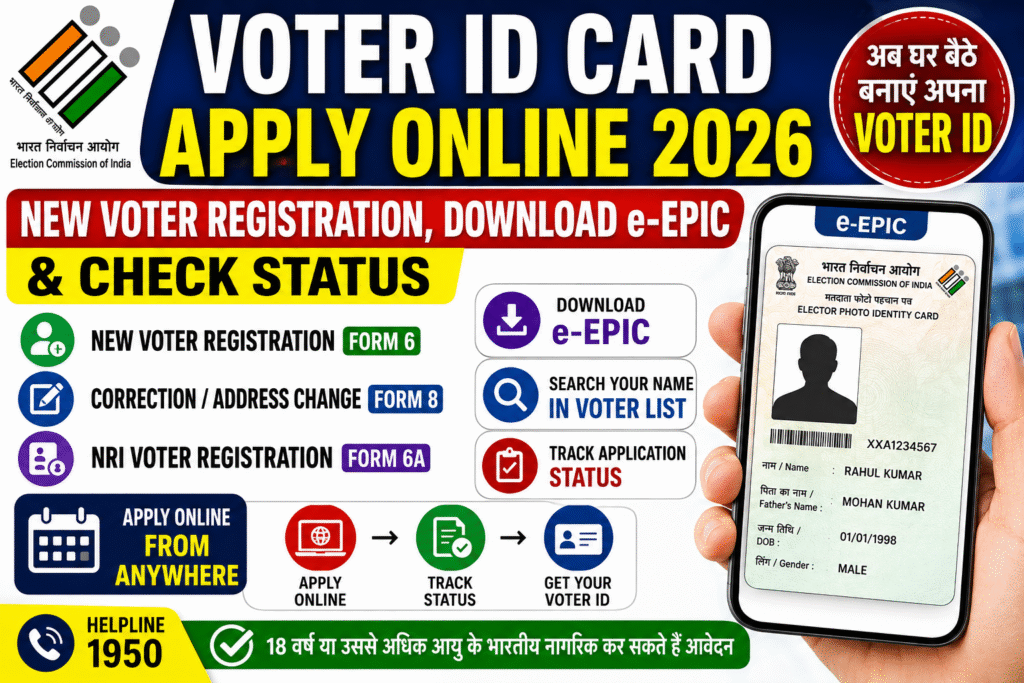
नए Voter ID के लिए सामान्य मतदाता Form 6 के माध्यम से registration करते हैं। वहीं existing voter अपने address या अन्य details में correction/update के लिए Form 8 का उपयोग कर सकते हैं। Registered voters अपने नाम को voter list में search करने के साथ-साथ eligible होने पर e-EPIC यानी digital Voter ID भी download कर सकते हैं।
Voter ID Card 2026 – Overview
| Details | Information |
|---|---|
| Department | Election Commission of India |
| Document | Voter ID / EPIC |
| Registration Type | New Voter Registration |
| New Voter Form | Form 6 |
| Existing Voter Correction | Form 8 |
| Application Mode | Online |
| Digital Voter ID | e-EPIC |
| Official Portal | ECI Voters Service Portal |
| Helpline | 1950 |
Voter ID Card 2026 – Who Can Apply?
New Voter Registration के लिए applicant को सामान्यतः:
- भारत का नागरिक होना चाहिए।
- निर्धारित qualifying date पर 18 वर्ष या उससे अधिक उम्र होनी चाहिए।
- जिस constituency में registration कराया जा रहा है, वहां ordinarily resident होना चाहिए।
- Electoral Roll में registration के लिए disqualified नहीं होना चाहिए।
ECI के अनुसार qualifying dates 1 January, 1 April, 1 July और 1 October हैं। इसलिए eligibility केवल calendar year के आधार पर नहीं, बल्कि applicable qualifying date के आधार पर निर्धारित होती है।
Voter ID Card New Registration 2026 – Form 6
अगर आपका नाम अभी Electoral Roll में registered नहीं है और आप पहली बार voter के रूप में registration करना चाहते हैं, तो Form 6 भरना होता है।
ECI के Citizen Service Portal पर New Voter Registration के लिए Form 6 की सुविधा उपलब्ध है।
Form 6 किसके लिए है?
- New Voter Registration
- पहली बार voter बनने वाले eligible Indian citizens
- Electoral Roll में नया नाम जोड़ने के लिए
Voter ID Apply Online 2026 – Step by Step Process
Step 1: ECI Voter Service Portal खोलें
सबसे पहले Election Commission of India के official Voters Service Portal पर जाएं।
Step 2: New Voter Registration चुनें
Citizen Service Portal पर New Voter Registration के अंतर्गत Form 6 का option चुनें।
Step 3: Registration/Login करें
यदि portal account की आवश्यकता हो तो अपना account create/login करें और मांगी गई verification पूरी करें।
Step 4: Form 6 भरें
अब New Voter Registration Form में मांगी गई जानकारी carefully भरें।
इसमें personal details, address और अन्य आवश्यक electoral information मांगी जा सकती है।
Step 5: Documents की जानकारी दें
Application में मांगे गए supporting documents/details उपलब्ध कराएं। Documents की exact requirement आपकी application और ECI के current instructions के अनुसार हो सकती है।
Step 6: Application Submit करें
सभी details भरने के बाद application को carefully review करें और submit करें।
Step 7: Application Reference Number सुरक्षित रखें
Application submit होने के बाद मिलने वाले reference/application number को सुरक्षित रखें। इससे आगे application status track करने में मदद मिल सकती है।
Voter ID Application Status 2026 – कैसे Check करें?
अगर आपने New Voter Registration के लिए application submit किया है, तो उसका status online track किया जा सकता है।
Status Check करने के Steps:
- ECI Voters Service Portal खोलें।
- Track Application Status option चुनें।
- मांगी गई application/reference details enter करें।
- Captcha/verification complete करें।
- Submit करने के बाद application status देखें।
ECI Citizen Service Portal पर application status tracking की सुविधा उपलब्ध है।
Voter List में अपना नाम कैसे Check करें?
Voter ID application करने के बाद केवल card का इंतजार करना पर्याप्त नहीं है। यह check करना भी उपयोगी है कि आपका नाम Electoral Roll में दिखाई दे रहा है या नहीं।
ECI के अनुसार voter अपने नाम और polling-related details को online search कर सकते हैं।
Name Search करने का तरीका
- ECI की voter services website खोलें।
- Search Your Name in Voter List option चुनें।
- उपलब्ध search method select करें।
- मांगी गई details भरें।
- Search करें।
- अपना electoral record और polling information check करें।
e-EPIC Download 2026 – Digital Voter ID कैसे Download करें?
e-EPIC Voter ID का digital version है। ECI Citizen Service Portal पर registered voters के लिए E-EPIC Download service उपलब्ध है।
e-EPIC Download करने के Steps
- ECI Voters Service Portal खोलें।
- Login करें।
- E-EPIC Download option पर जाएं।
- Portal द्वारा मांगी गई details enter करें।
- Verification/OTP process पूरा करें, यदि मांगा जाए।
- Eligible होने पर अपना digital EPIC download करें।
- Download की गई digital copy को सुरक्षित रखें।
Important: e-EPIC download की eligibility और verification requirements portal पर आपके voter record के अनुसार निर्धारित हो सकती हैं।
Existing Voter की Details में Correction कैसे करें?
अगर आपका नाम पहले से Electoral Roll में है लेकिन किसी detail में correction/update करना है, तो Form 8 का उपयोग किया जाता है।
ECI के अनुसार Form 8 का उपयोग existing electoral roll में shifting of residence, correction of entries, replacement of EPIC और PwD marking जैसी services के लिए किया जाता है।
Form 8 से संबंधित Services
- Name/other electoral details correction
- Address shifting
- Replacement of EPIC
- PwD marking
Voter ID खो गया है तो क्या करें?
अगर आपका physical Voter ID card खो गया है, तो सबसे पहले यह check करें कि आपका voter record Electoral Roll में मौजूद है या नहीं।
Registered voters के लिए ECI portal पर E-EPIC Download service भी उपलब्ध है। Replacement EPIC से संबंधित application के लिए Form 8 की facility उपलब्ध है।
Voter ID के लिए कौन-कौन सी जानकारी तैयार रखें?
Online application शुरू करने से पहले अपनी आवश्यक personal और address-related information तैयार रखें।
सामान्य रूप से applicant को इन details की आवश्यकता पड़ सकती है:
- पूरा नाम
- Date of Birth
- Gender
- Mobile Number
- Email ID, यदि उपलब्ध हो
- Current Address
- State
- District
- Assembly Constituency
- Family/relative details, जहां लागू हो
- आवश्यक supporting documents
Note: Documents और additional information की exact requirement application के दौरान ECI portal पर दिखाई गई instructions के अनुसार follow करें।
NRI Voter Registration – Form 6A
अगर कोई भारतीय नागरिक विदेश में रह रहा है और उसने किसी अन्य देश की citizenship प्राप्त नहीं की है, तो उसके लिए New Voter Registration (NRI) के अंतर्गत Form 6A की सुविधा उपलब्ध है।
इसलिए NRI applicants को सामान्य resident voter के Form 6 की जगह अपनी applicable category के अनुसार Form 6A की जानकारी देखनी चाहिए।
Voter ID 2026 – Important Points
- New voter registration के लिए Form 6 का उपयोग किया जाता है।
- Existing voter की correction/address shifting आदि के लिए Form 8 उपलब्ध है।
- NRI voter registration के लिए Form 6A है।
- Application submit करने के बाद status online track किया जा सकता है।
- Electoral Roll में अपना नाम online search किया जा सकता है।
- Registered voters के लिए ECI portal पर e-EPIC download service उपलब्ध है।
- Application में गलत information submit करने से बचें।
- किसी भी महत्वपूर्ण electoral matter के लिए ECI की latest instructions को follow करें।
Voter ID Card 2026 – Important Links
| Service | Link |
|---|---|
| New Voter Registration – Form 6 | Official Portal |
| e-EPIC Download | Official Portal |
| Voter List में Name Search | Official Portal |
| Application Status Track | Official Portal |
| Correction / Address Change – Form 8 | Official Portal |
| NRI Voter Registration – Form 6A | Official Portal |
| Election Commission of India | Official Portal |
| Join WhatsApp Group | Click Here |
| Join Telegram Channel | Click Here |
Frequently Asked Questions (FAQs)
Q1. Voter ID Card 2026 के लिए online apply कैसे करें?
New Voter Registration के लिए Election Commission of India के Voters Service Portal पर जाकर Form 6 भरना होता है।
Q2. New Voter Registration के लिए कौन सा Form भरना होता है?
सामान्य नए मतदाता के लिए Form 6 भरा जाता है।
Q3. Voter ID के लिए minimum age कितनी है?
Eligible voter बनने के लिए निर्धारित qualifying date पर applicant की उम्र 18 वर्ष या उससे अधिक होनी चाहिए। ECI वर्तमान में 1 January, 1 April, 1 July और 1 October को qualifying dates के रूप में बताता है।
Q4. क्या Voter ID online download किया जा सकता है?
Eligible registered voters के लिए ECI portal पर e-EPIC Download की सुविधा उपलब्ध है।
Q5. Voter ID application का status कैसे check करें?
ECI Voters Service Portal पर Track Application Status service का उपयोग करके application status check किया जा सकता है।
Q6. Voter List में अपना नाम कैसे देखें?
ECI की voter services में Search Your Name in Voter List सुविधा के माध्यम से electoral record और polling information search की जा सकती है।
Q7. Voter ID में गलती होने पर क्या करें?
Existing electoral record में correction के लिए Form 8 की सुविधा उपलब्ध है। इसका उपयोग correction, shifting of residence और replacement of EPIC जैसी services के लिए किया जा सकता है।
Q8. NRI के लिए Voter Registration का कौन सा Form है?
Eligible overseas Indian voters के लिए Form 6A का उपयोग किया जाता है।
Important Disclaimer
यह article voters की सुविधा के लिए तैयार किया गया informational guide है। NaukariLelo.com Election Commission of India की official website नहीं है।
Voter registration, Electoral Roll, e-EPIC, correction, documents और eligibility से संबंधित अंतिम नियम एवं instructions के लिए Election Commission of India के official portal को ही प्राथमिक स्रोत मानें।
ECI Citizen Service Portal पर उपलब्ध services समय के साथ update हो सकती हैं, इसलिए application submit करने से पहले portal पर दिखाई गई latest information जरूर check करें।